

Microsoft Ads Removes Max CPC for New Non-Portfolio Campaigns: What to Change in Your Bidding, Controls, and Governance
admin | | 5 min read
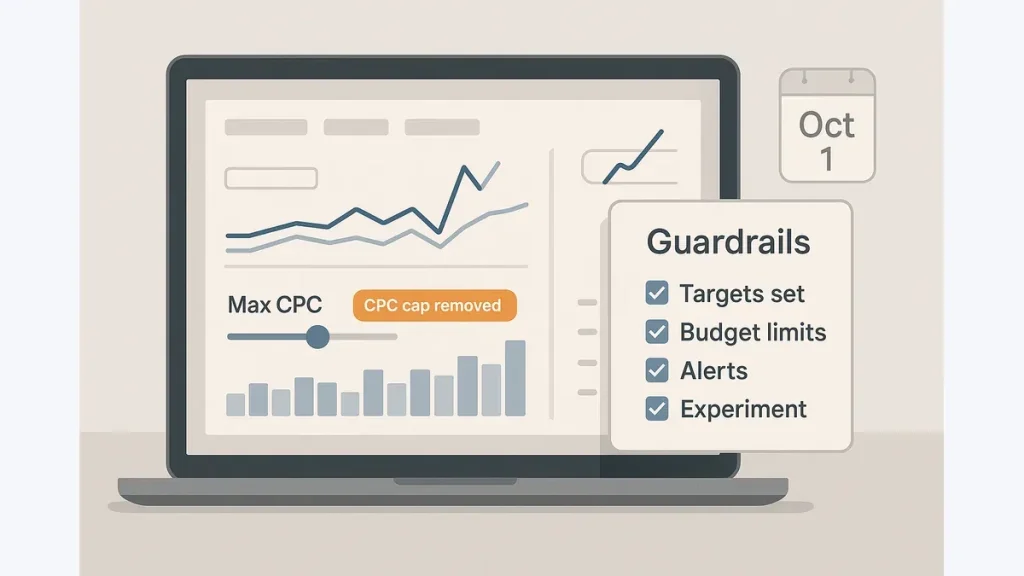
Microsoft Ads is removing a familiar safety net: a hard Max CPC ceiling for some new campaign builds. If Max CPC caps were your governance backstop (regulated categories, tight-margin ecommerce, lead gen with strict CPL limits), Oct. 1 changes how you control risk.
The change: Max CPC removed for new non-portfolio campaigns (what it means on Oct. 1)
One-sentence summary: Starting Oct. 1, Max CPC will no longer be available for newly created non-portfolio campaigns—shifting control away from hard bid ceilings.
Microsoft Ads indicates this applies to new non-portfolio campaign creation (see Microsoft Advertising communications: https://about.ads.microsoft.com/). UI/rollout can vary by account; confirm in your account notifications/change history.
What it means in practice:
- You can’t set a hard CPC ceiling on those new campaigns.
- Control shifts to automated bidding targets plus budgets, queries, and governance.
Who’s impacted:
- New campaigns: affected when created after the change.
- Existing campaigns: language typically focuses on newly created campaigns; older campaigns may keep Max CPC (for now). Plan for new builds to lack the option.
Primary risk: without hard bid ceilings, CPC and spend can swing if measurement is unstable, targets are unrealistic, or query inventory drifts.
If you’re publishing this as an internal update/client note, use the Meta Tags Generator to produce a compliant title tag and meta description.
Pre-migration readiness (do this before touching bidding)
Automated bidding optimizes whatever your conversion setup signals. Validate measurement first, then capture a baseline.
Conversion tracking stability checklist
- UET is present and firing on key actions (test real sessions).
- Primary conversions are correct (no micro-actions set to Primary).
- Attribution window and your reporting window are consistent.
- If tracking changed recently, note what changed and when.
Lead gen: if you can’t import offline conversions, pick one lead-quality proxy (SQL rate, accepted-lead rate, stage progression) and keep its definition stable during the first learning period.
If considering Target ROAS (tROAS): value integrity checklist
- Value mapping is correct (revenue, margin proxy, or lead-value rules).
- Duplicates/double counting are addressed.
- Returns/refunds are handled consistently (where applicable).
- Currency is consistent across platforms.
Baseline snapshot checklist (capture before changes)
Pull your normal window (often 30–60 days) and record:
- CPC
- CPA and/or ROAS
- Conversion rate + conversion volume
- Impression share (or lost IS to budget/rank)
- Query mix (top themes; brand vs non-brand)
- Lead-quality proxy (if available)
Document the baseline and the exact change date/time (with time zone). Debugging is guesswork without a clean “before/after.”
Example (readiness): Lead gen without offline imports: track “qualified lead” using one CRM flag. Don’t change that flag definition for 2–4 weeks after launch.
Choose your replacement bidding approach (decision checklist)
Pick the simplest approach your data can support, then give it time and volume to learn.
Decision rules: Target CPA vs Target ROAS
- Choose Target CPA (tCPA) for lead gen, or when conversion values are inconsistent/untrusted.
- Choose Target ROAS (tROAS) only when values are reliable and the business optimizes to value (revenue/margin).
Low-volume guidance (targets get unstable):
- Start conservatively: looser targets, slower budget ramp, longer learning windows.
- Delay aggressive efficiency goals until volume stabilizes.
Don’t translate an old Max CPC into a target. Base targets on baseline CPA/ROAS and business constraints (margin, LTV, sales capacity).
Example (decision): Lead gen with no reliable revenue values: start with tCPA at your last-30-day baseline CPA, then tighten only after 2–3 weeks of stable conversion volume.
When portfolio bidding makes sense (vs campaign-level)
Use portfolio strategies to share learning and enforce consistent targets across campaigns with similar economics.
- Good fit: same product line/margins, similar geos, similar intent.
- Avoid: mixing brand vs non-brand, or very different products/intents.
If you only have one campaign—or intent differs dramatically—campaign-level is usually simpler at first.
Rebuild controls and governance without Max CPC (guardrails checklist)
A Max CPC ceiling was one blunt control. Replace it with a system: budgets + query controls + disciplined change management.
Budget guardrails
- Pacing cadence: daily checks during launch week, then 2–3x/week once stable.
- Use daily budget caps that match risk tolerance.
- Ramp budgets in steps (avoid doubling mid-learning).
- Watch spike signals: rapid click growth, impression share jump, or spend front-loading early in the day.
Query and inventory controls
- Don’t broaden inventory while changing bidding; keep match types stable initially.
- Tighten negative keyword hygiene (more frequent in the first weeks).
- Separate brand vs non-brand where relevant so automation can’t “hit the target” by shifting toward brand.
- Review search terms on a set cadence (daily early, then weekly).
Governance controls (auditable and reversible)
- Assign an owner for targets and budget policy.
- Require approval for target changes, material budget increases, and match type expansions.
- Keep a change log (what/why/who/timestamp).
- Define rollback criteria and what rollback means (revert target, pause ramp, restrict inventory, or pause the campaign).
Example (rollback criteria — example only): If 3-day spend rises >40% vs baseline while CPA worsens >20% (or lead quality drops), revert to last-known-good settings and pause budget increases until search terms are reviewed.
Reminder: guardrails are a system—don’t rely on any single control to replace Max CPC.
Rollout, monitoring, and proof (30/60/90-day plan)
Keep execution simple and isolate variables.
- Days 0–14: stabilize measurement; launch targets based on baseline CPA/ROAS; avoid day-to-day target thrashing unless an alert threshold is breached.
- Weeks 3–6: iterate with single-variable changes (target or budget or inventory) and use an observation window that matches conversion lag.
- Weeks 7–12: consider consolidating into portfolios for truly similar campaigns; lock a governance cadence.
Success metrics (beyond CPC): CPA/ROAS, conversion rate, conversion volume, lead-quality proxy (and margin proxy if you have one).
Monitoring alerts to set:
- Spend spikes vs expected pacing
- CPA/ROAS drift beyond tolerance
- Conversion volume drops
- Query contamination (irrelevant themes, brand bleed)
Final printable checklist (5–8 bullets)
- Confirm UET + Primary conversions are stable; note recent tracking changes.
- If using tROAS, validate value integrity (duplicates, returns, currency).
- Capture a 30–60 day baseline and record exact change date/time.
- Choose tCPA vs tROAS based on value reliability and volume; don’t back-calc from old Max CPC.
- Add guardrails: daily budgets, staged ramp, search-term/negative cadence, brand vs non-brand separation.
- Set governance: owner, approvals, change log, rollback criteria (and what “rollback” means).
- Roll out in phases and judge on CPA/ROAS + lead quality, not CPC.
Optional implementation: generate lightweight Article markup with the Schema Generator.
If this update is duplicated across regional pages, confirm canonicalization with the Canonical Checker.
Further reading: Google Search documentation.